> ## Documentation Index
> Fetch the complete documentation index at: https://docs.goshippo.com/llms.txt
> Use this file to discover all available pages before exploring further.
# Webhook debugging
> Test and debug your Shippo webhooks using your own server or third-party webhook testing sites.
## Using your own server
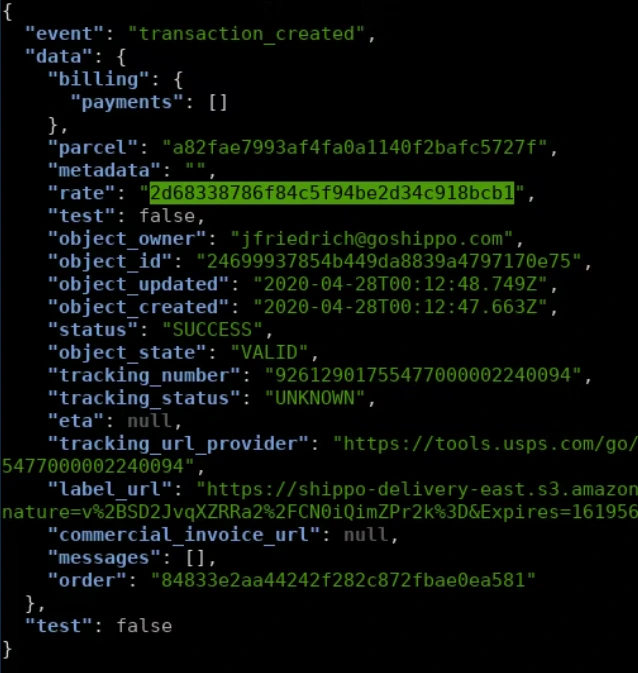
If you have a public-facing web server and would like to view the test events as they come in, you can use this BASH one-liner (listening on port 8891). This snippet returns the HTTP 200 response we expect your endpoint to return in production.
**note**
You do not need to have jq installed as this is just for pretty printing the POST Body response.
jq formatting for webhook test listener:
`~$ while true; do { echo -e 'HTTP/1.1 200 OK\r\n'; } | nc -l 8891 | grep test | jq . ; done`
 ## Using webhook testing sites
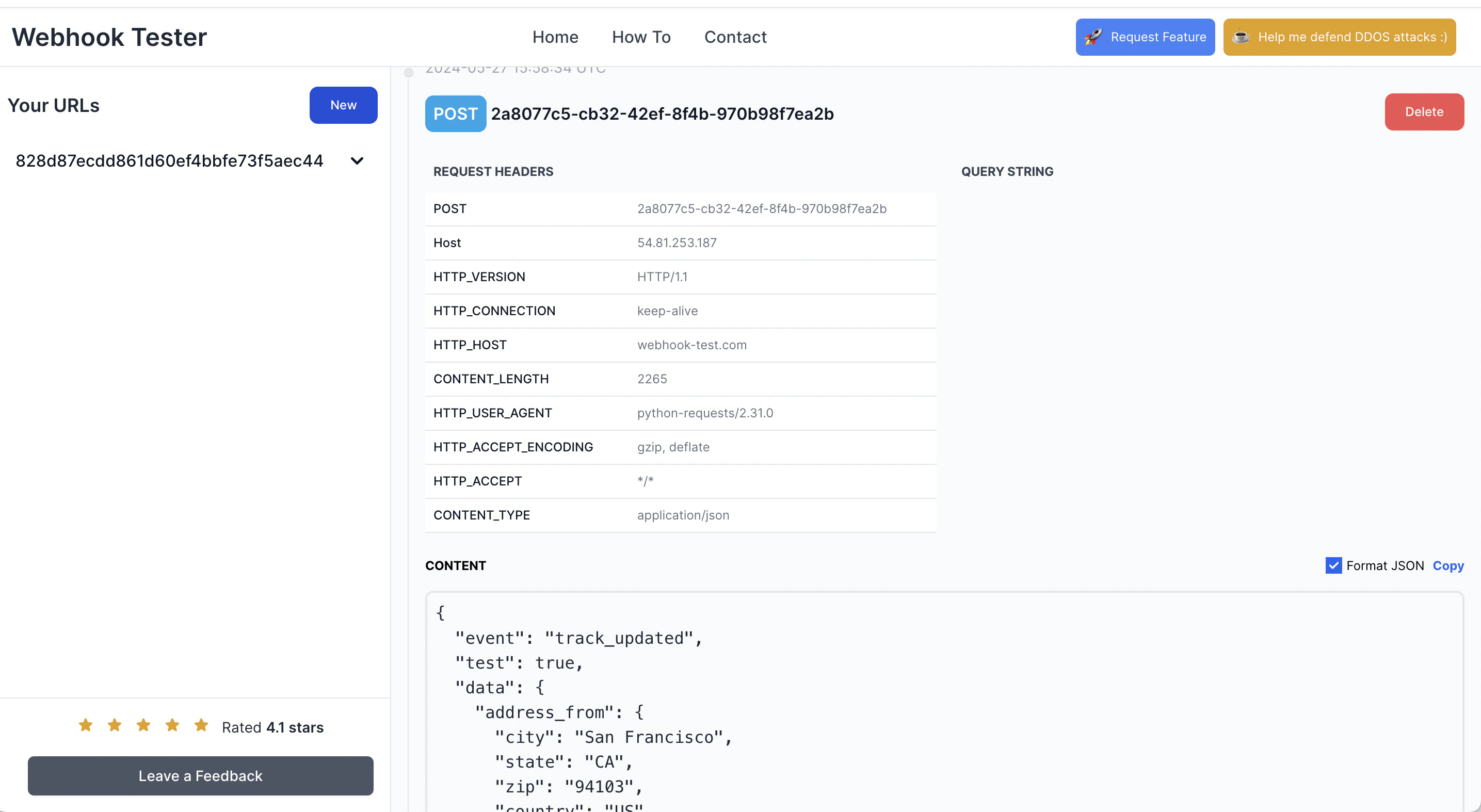
There are many websites available to test a webhook response. You can use sites like [https://webhook-test.com/](https://webhook-test.com/) to listen for webhooks sent by Shippo.
**note**
While you can test your webhooks using public services, it's important to understand that you are sharing your information with these third-parties. Only use test data. Never share production data. We recommend using [your own server](#using-your-own-server) where possible.
The mention of a specific company or product name is solely for educational purposes and does not imply endorsement by Shippo.
To use a service like webhook-test, copy the unique webhook URL from the site and add it as the `URL` to your Shippo webhook.
Selecting `Send sample` sends a test payload that you can view in the webhook testing site.
## Using webhook testing sites
There are many websites available to test a webhook response. You can use sites like [https://webhook-test.com/](https://webhook-test.com/) to listen for webhooks sent by Shippo.
**note**
While you can test your webhooks using public services, it's important to understand that you are sharing your information with these third-parties. Only use test data. Never share production data. We recommend using [your own server](#using-your-own-server) where possible.
The mention of a specific company or product name is solely for educational purposes and does not imply endorsement by Shippo.
To use a service like webhook-test, copy the unique webhook URL from the site and add it as the `URL` to your Shippo webhook.
Selecting `Send sample` sends a test payload that you can view in the webhook testing site.