# Bulk labels
## What is bulk label purchasing?
In Shippo, bulk label purchasing is a tool for creating labels for multiple orders in a single batch. Purchasing labels in a batch helps your merchants save time and effort.
Merchants can create up to 50 labels at a time.
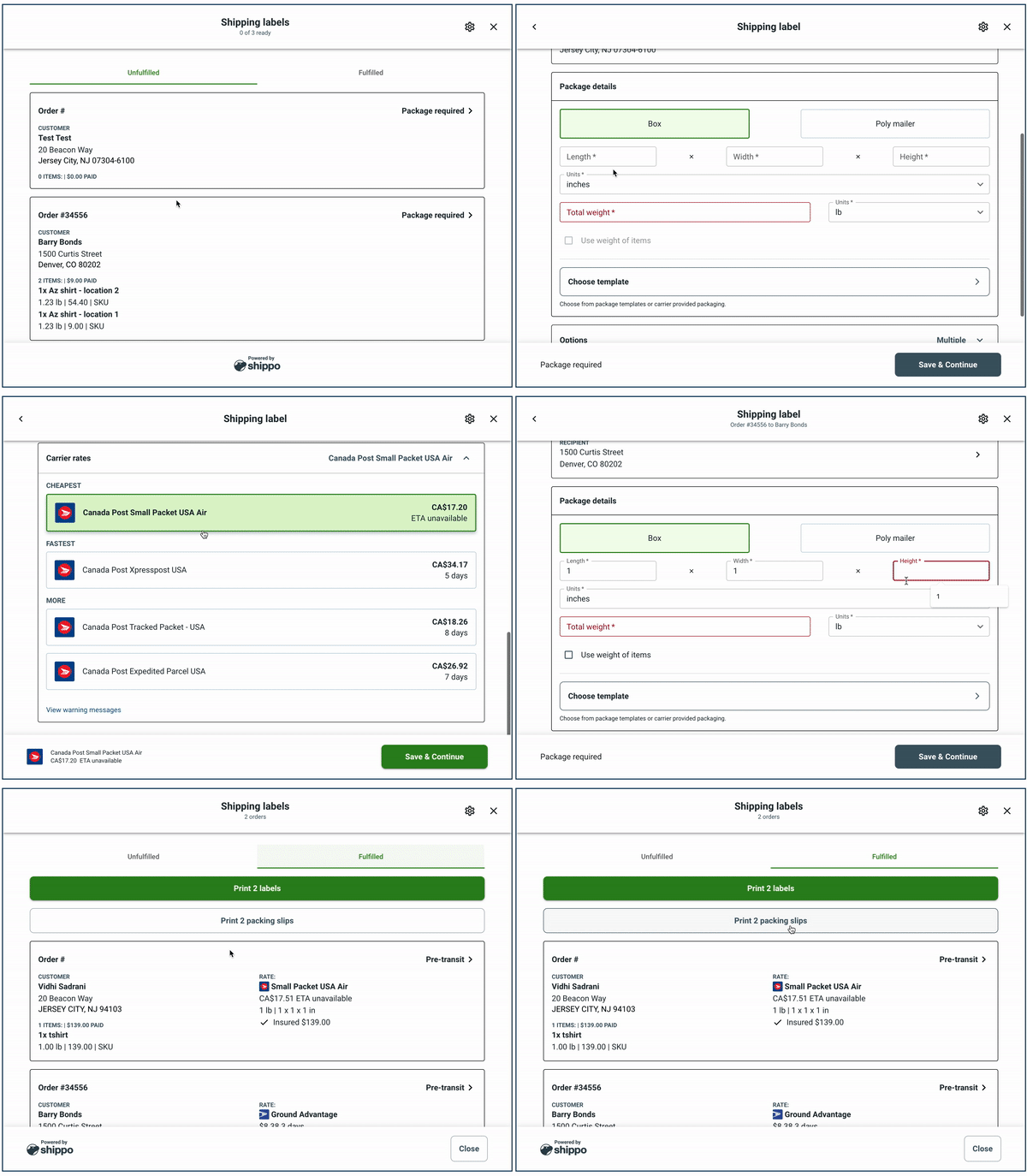
The bulk flow enables the following.
* Merchants see a list of their orders.
* The UI prompts your merchant to complete required details that are missing.
* Merchants can edit their shipment details in the UI for each order.
* Merchants can print labels and packing slips with a single click.
The following shows an example of bulk label purchase flow in Elements.
## Enable bulk in Elements
Bulk is available to all Elements users. To start a bulk label purchase flow, call `labelPurchase` and pass `orderDetails` as [an array](/docs/shippingelements/install#parameters-1). Each element of the array contains the details for an individual order.
This example shows two orders added to Elements that starts the bulk label purchase flow.
```
Web Application
```