> ## Documentation Index
> Fetch the complete documentation index at: https://docs.goshippo.com/llms.txt
> Use this file to discover all available pages before exploring further.
> ## Agent Instructions
> Shippo is a multi-carrier shipping API. For agent integrations that execute shipping operations (rates, labels, tracking, address validation, customs), connect the hosted Shippo MCP server at https://mcp.shippo.com (per-user OAuth; setup at /guides/mcp-server). To search and read this documentation from an agent, a docs search MCP is available at https://docs.goshippo.com/mcp. Shipping workflow knowledge (agent skills and a knowledge pack) is published at https://github.com/goshippo/ai. For REST integrations start at /guides/api-quickstart; test mode uses shippo_test_ API keys.
# Features
> Everything the Shippo MCP Server can do for your AI assistant: address validation and the address book, shipments, rates and labels, tracking, carrier accounts, customs, batches, manifests, pickups, and webhooks, with example prompts.
The Shippo MCP Server gives you access to core Shippo API functionality, organized by what you're trying to get done. Each card has a **Learn more** link to the API documentation for that feature, and most have a **See example** you can open for a sample prompt and screenshot.
The core feature areas as of today are:
* Address Management
* Shipping Operations
* Carrier Accounts
* International Shipping
* Advanced Features
## Address Management
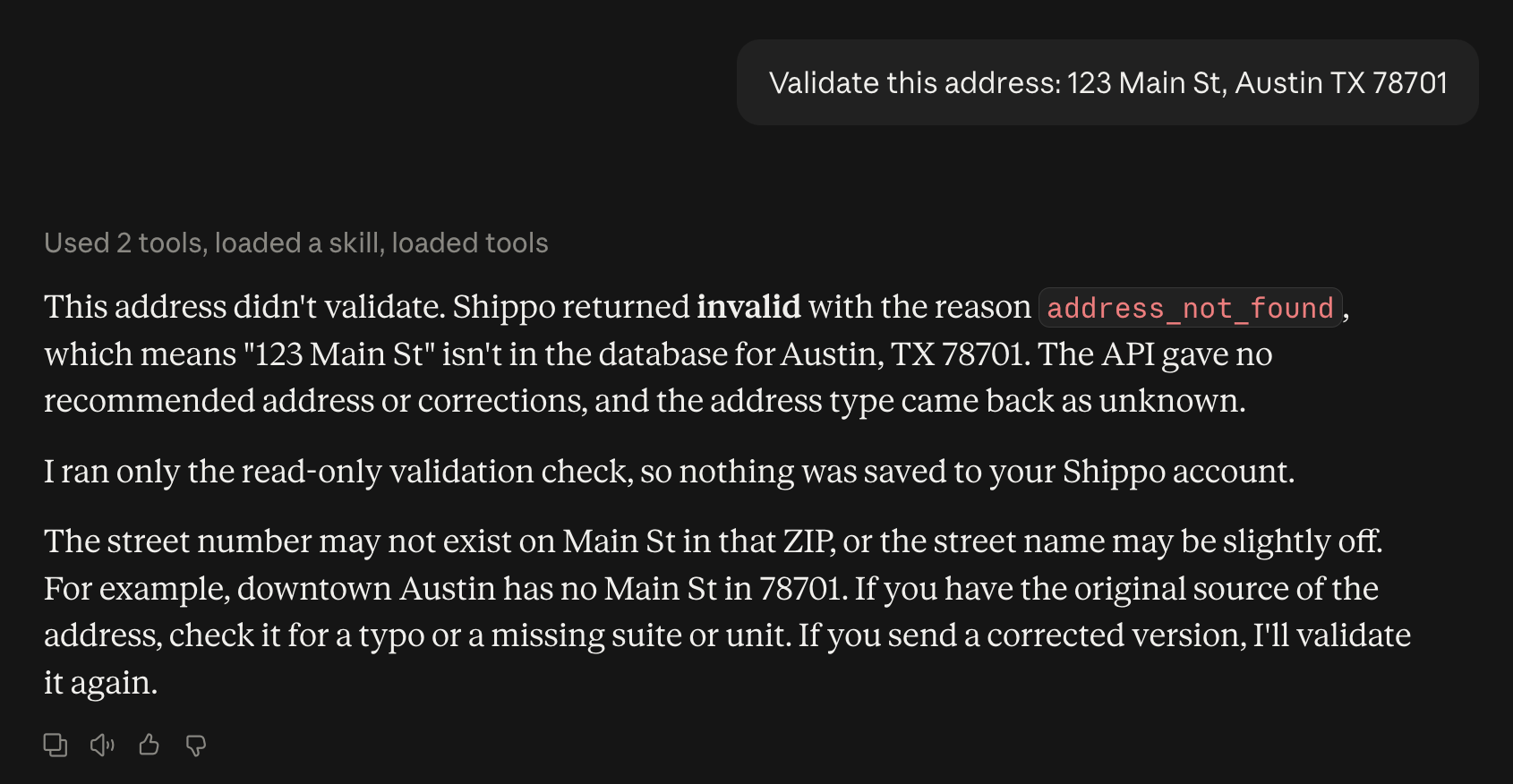
Verify and standardize shipping addresses. [Learn more →](/addresses/address-validation)
Try asking: *"Validate this address: 123 Main St, Austin TX 78701"*
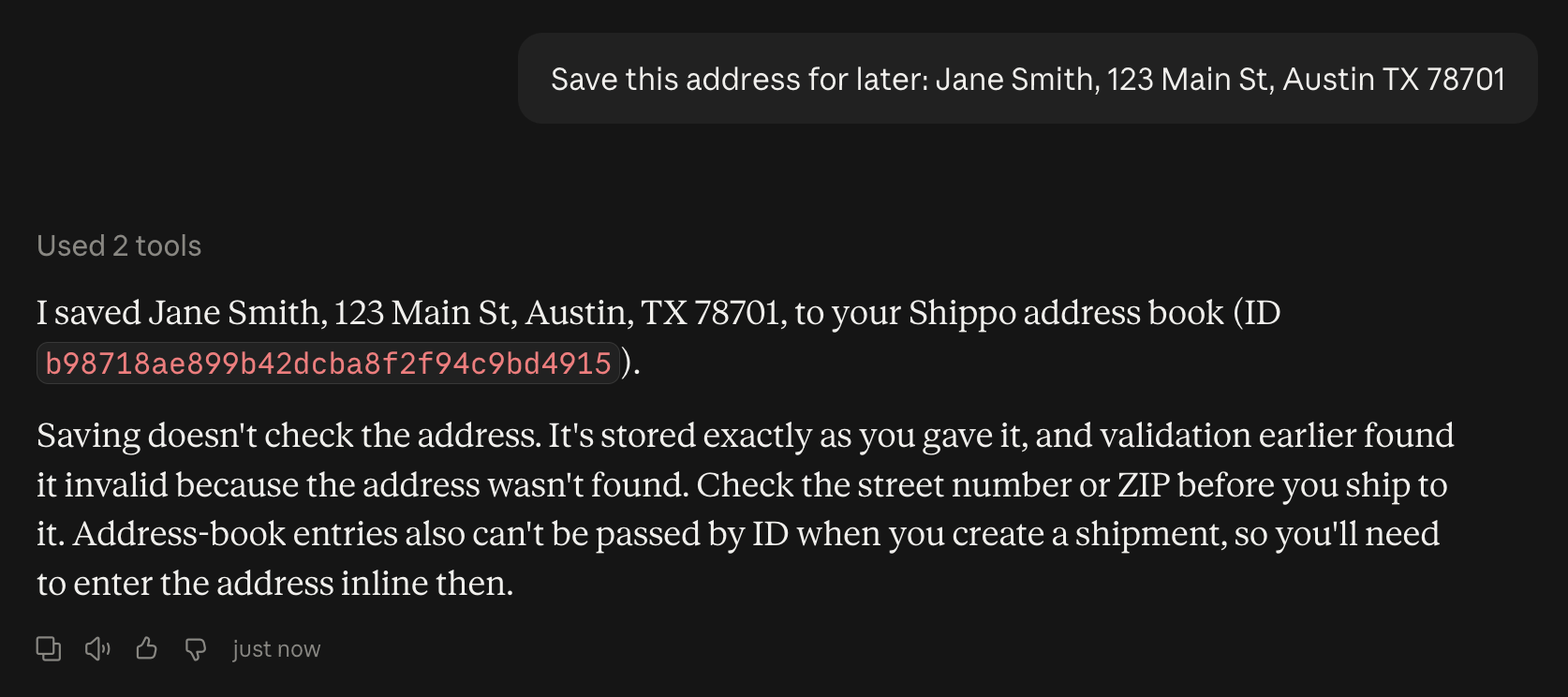
 Store addresses for future use. [Learn more →](/api-reference/addresses/create-a-new-address)
Try asking: *"Save this address for later: Jane Smith, 123 Main St, Austin TX 78701"*
Store addresses for future use. [Learn more →](/api-reference/addresses/create-a-new-address)
Try asking: *"Save this address for later: Jane Smith, 123 Main St, Austin TX 78701"*
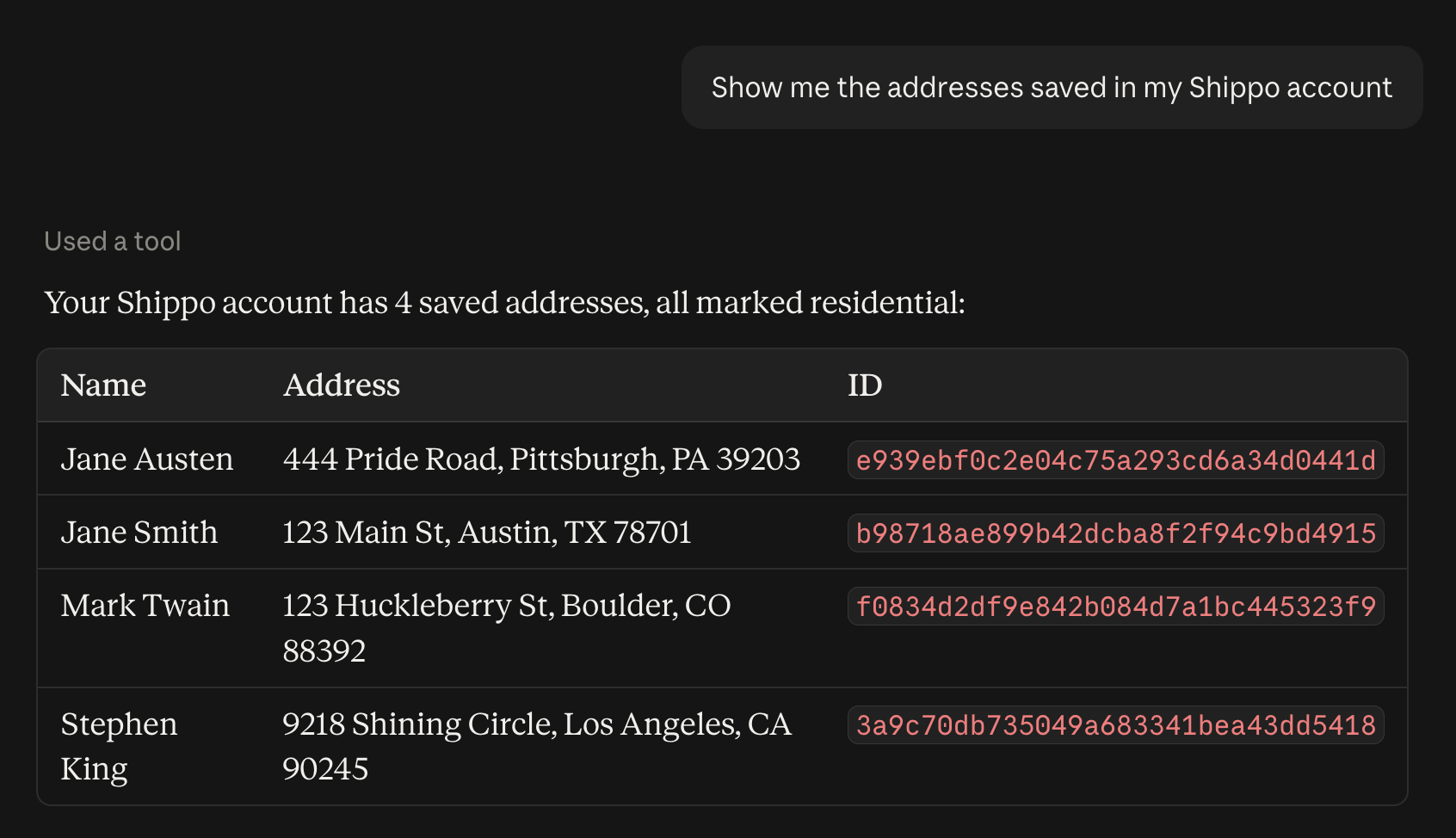
 Manage sender and recipient addresses. [Learn more →](/address-api/address-book)
Try asking: *"Show me the addresses saved in my Shippo account"*
Manage sender and recipient addresses. [Learn more →](/address-api/address-book)
Try asking: *"Show me the addresses saved in my Shippo account"*
 ## Shipping Operations
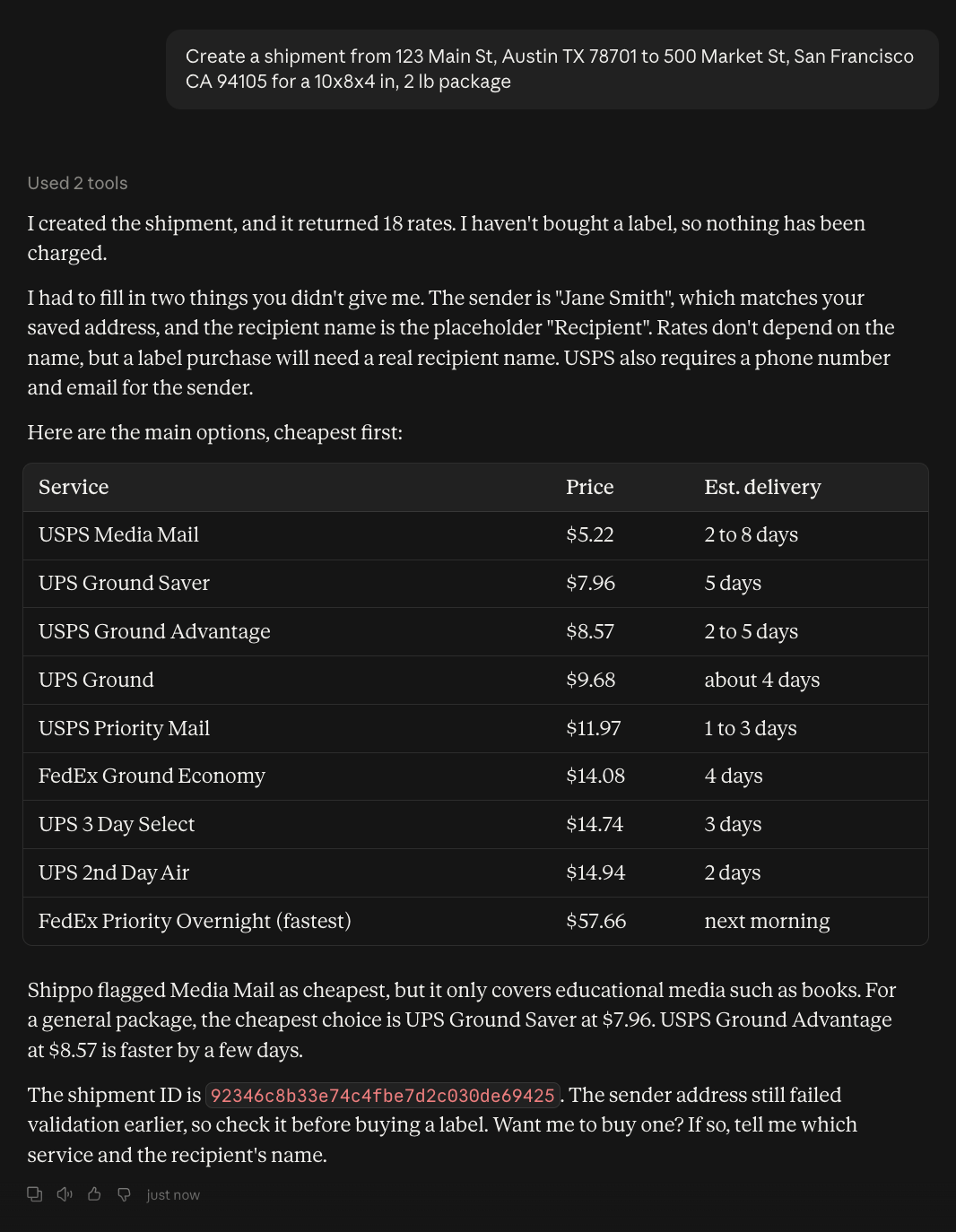
Set up shipments with origin, destination, and parcel details. [Learn more →](/shipments/shipments)
Try asking: *"Create a shipment from 123 Main St, Austin TX 78701 to 500 Market St, San Francisco CA 94105 for a 10x8x4 in, 2 lb package"*
## Shipping Operations
Set up shipments with origin, destination, and parcel details. [Learn more →](/shipments/shipments)
Try asking: *"Create a shipment from 123 Main St, Austin TX 78701 to 500 Market St, San Francisco CA 94105 for a 10x8x4 in, 2 lb package"*
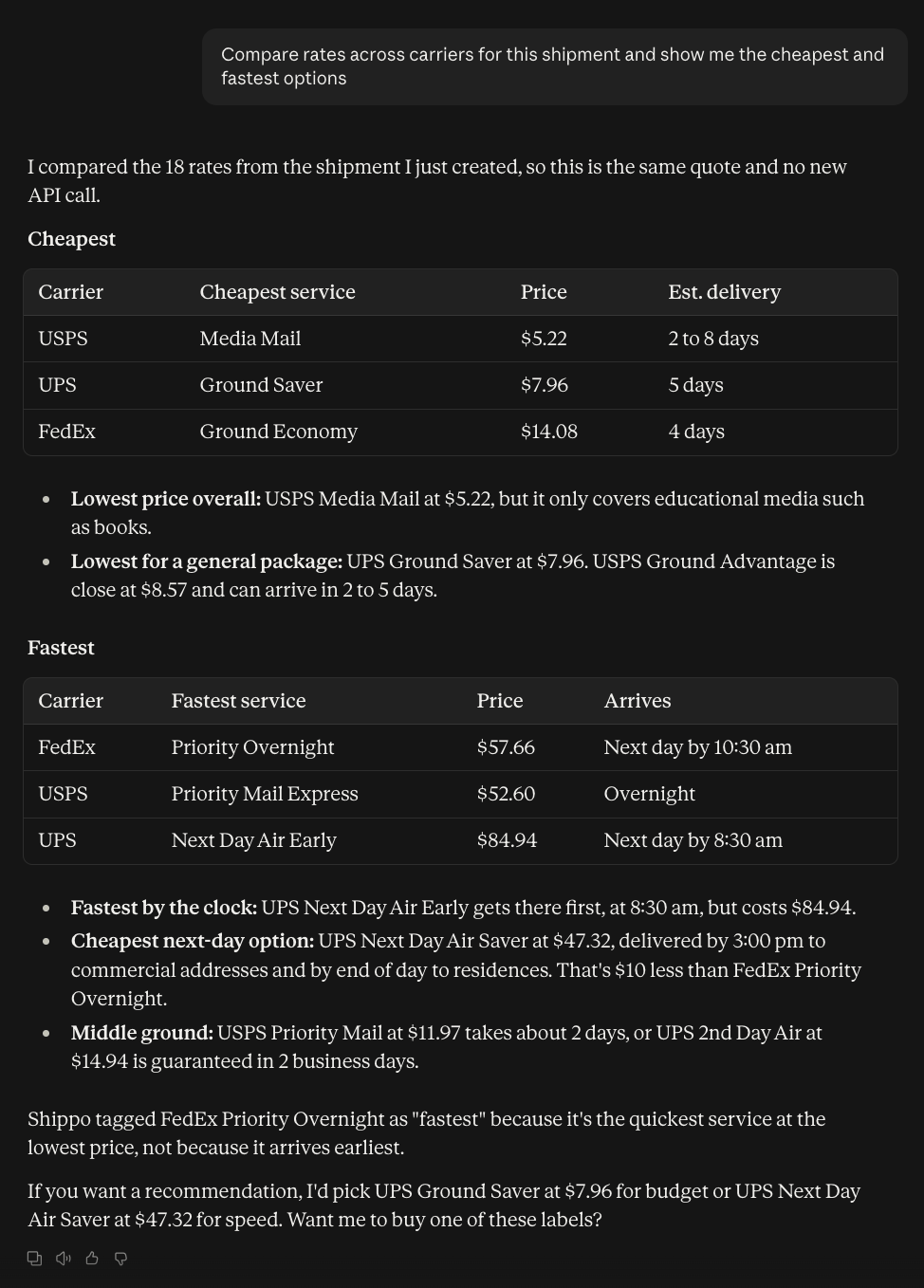
 Compare shipping rates across multiple carriers. [Learn more →](/shipments/rate-shopping-with-carriers)
Try asking: *"Compare rates across carriers for this shipment and show me the cheapest and fastest options"*
Compare shipping rates across multiple carriers. [Learn more →](/shipments/rate-shopping-with-carriers)
Try asking: *"Compare rates across carriers for this shipment and show me the cheapest and fastest options"*
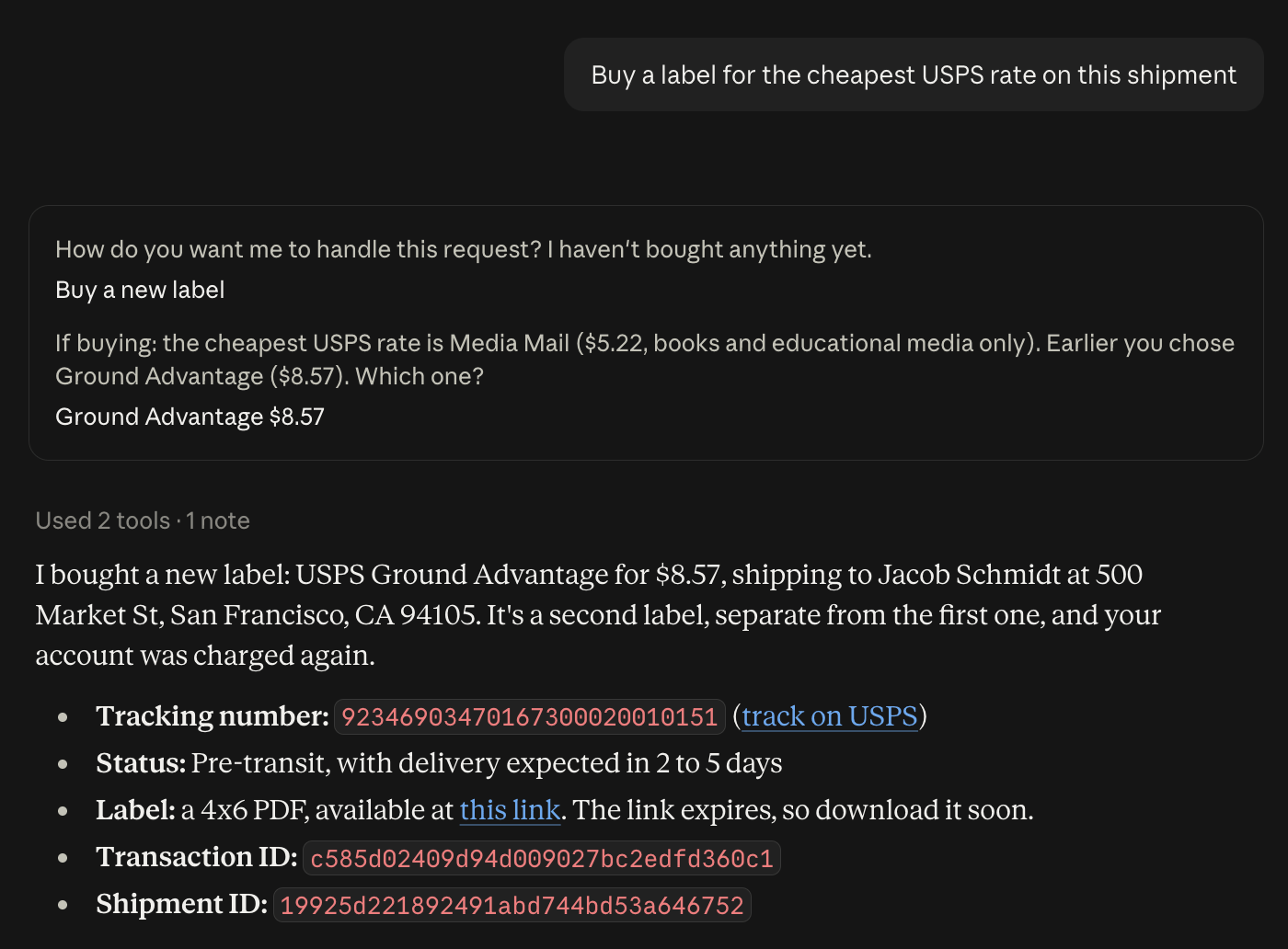
 Purchase shipping labels for your shipments. [Learn more →](/guides/generate-shipping-label)
Try asking: *"Buy a label for the cheapest USPS rate on this shipment"*
Purchase shipping labels for your shipments. [Learn more →](/guides/generate-shipping-label)
Try asking: *"Buy a label for the cheapest USPS rate on this shipment"*
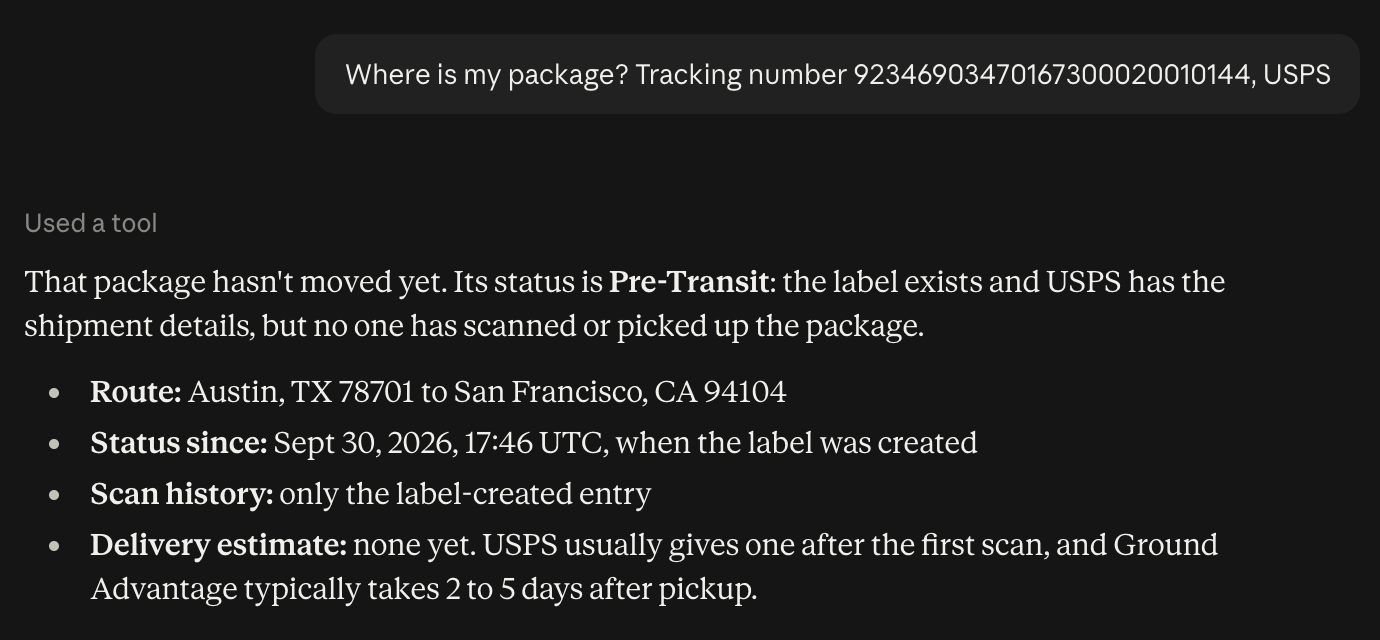
 Monitor shipment status and location. [Learn more →](/tracking/tracking)
Try asking: *"Where is my package? Tracking number 9400 1000 0000 0000 0000 00, USPS"*
Monitor shipment status and location. [Learn more →](/tracking/tracking)
Try asking: *"Where is my package? Tracking number 9400 1000 0000 0000 0000 00, USPS"*
 ## Carrier Accounts
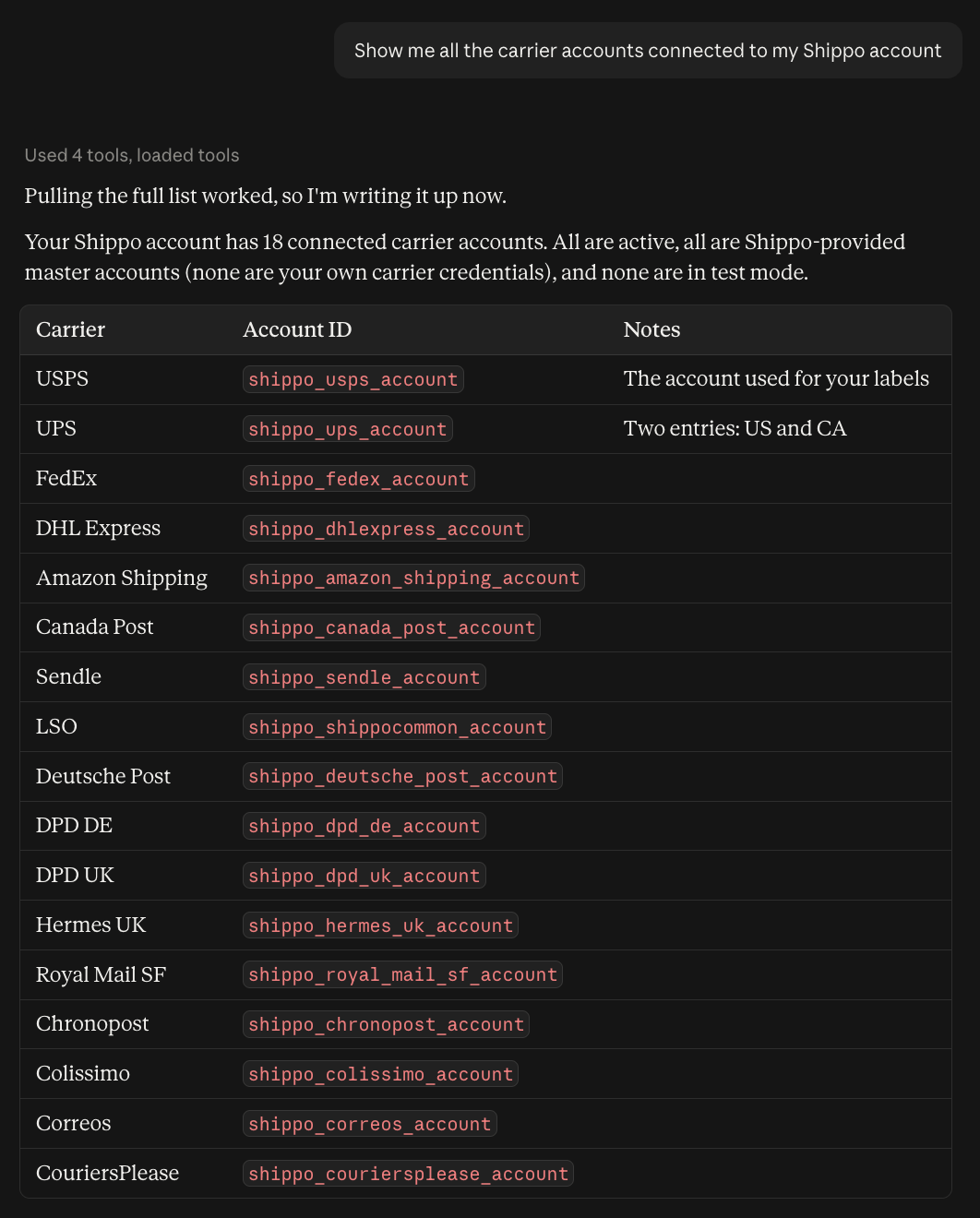
View all connected carrier accounts. [Learn more →](/api-reference/carrier-accounts/list-all-carrier-accounts)
Try asking: *"Show me all the carrier accounts connected to my Shippo account"*
## Carrier Accounts
View all connected carrier accounts. [Learn more →](/api-reference/carrier-accounts/list-all-carrier-accounts)
Try asking: *"Show me all the carrier accounts connected to my Shippo account"*
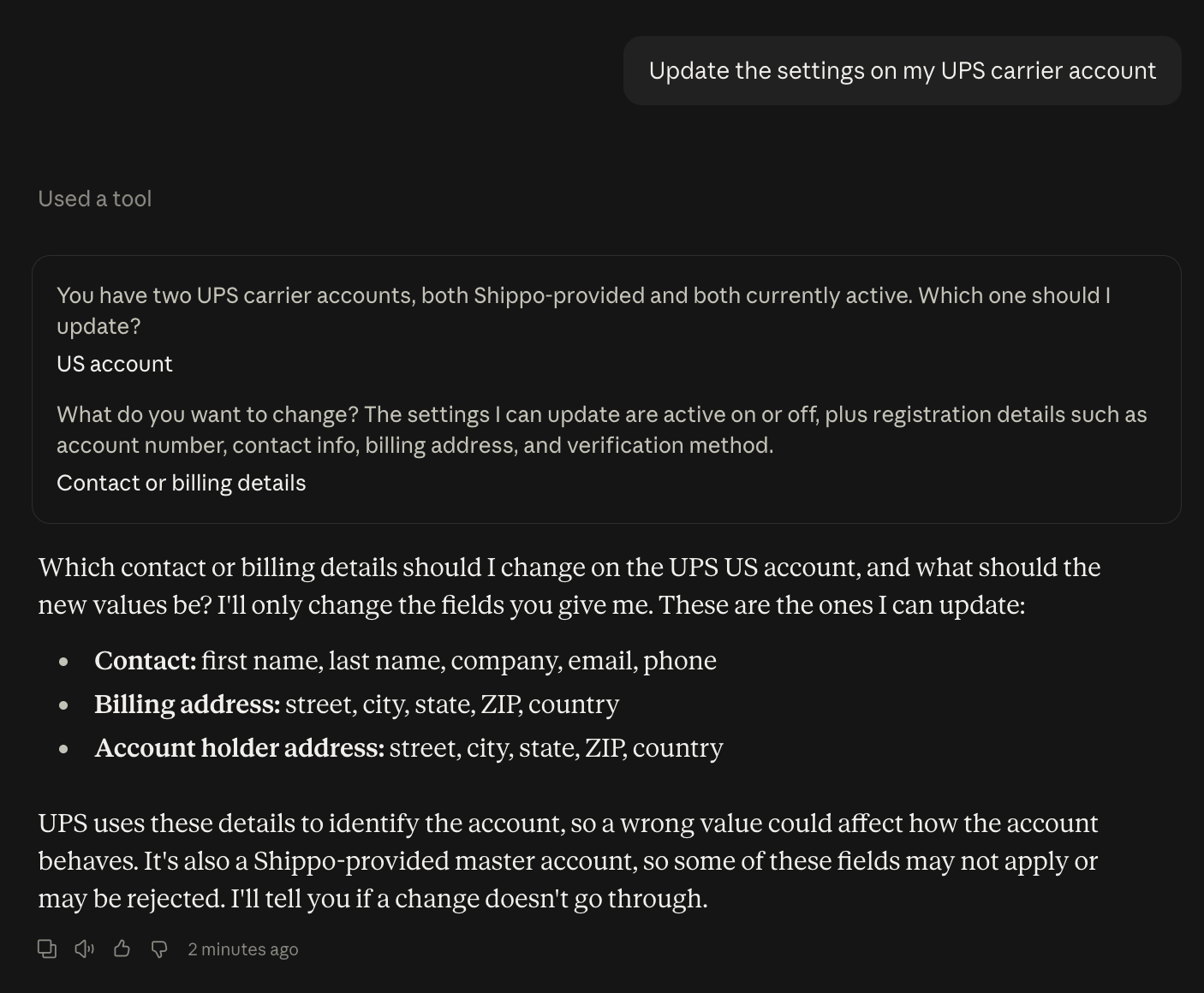
 Add or update carrier account settings. [Learn more →](/api-reference/carrier-accounts/create-a-new-carrier-account)
Try asking: *"Update the settings on my UPS carrier account"*
Add or update carrier account settings. [Learn more →](/api-reference/carrier-accounts/create-a-new-carrier-account)
Try asking: *"Update the settings on my UPS carrier account"*
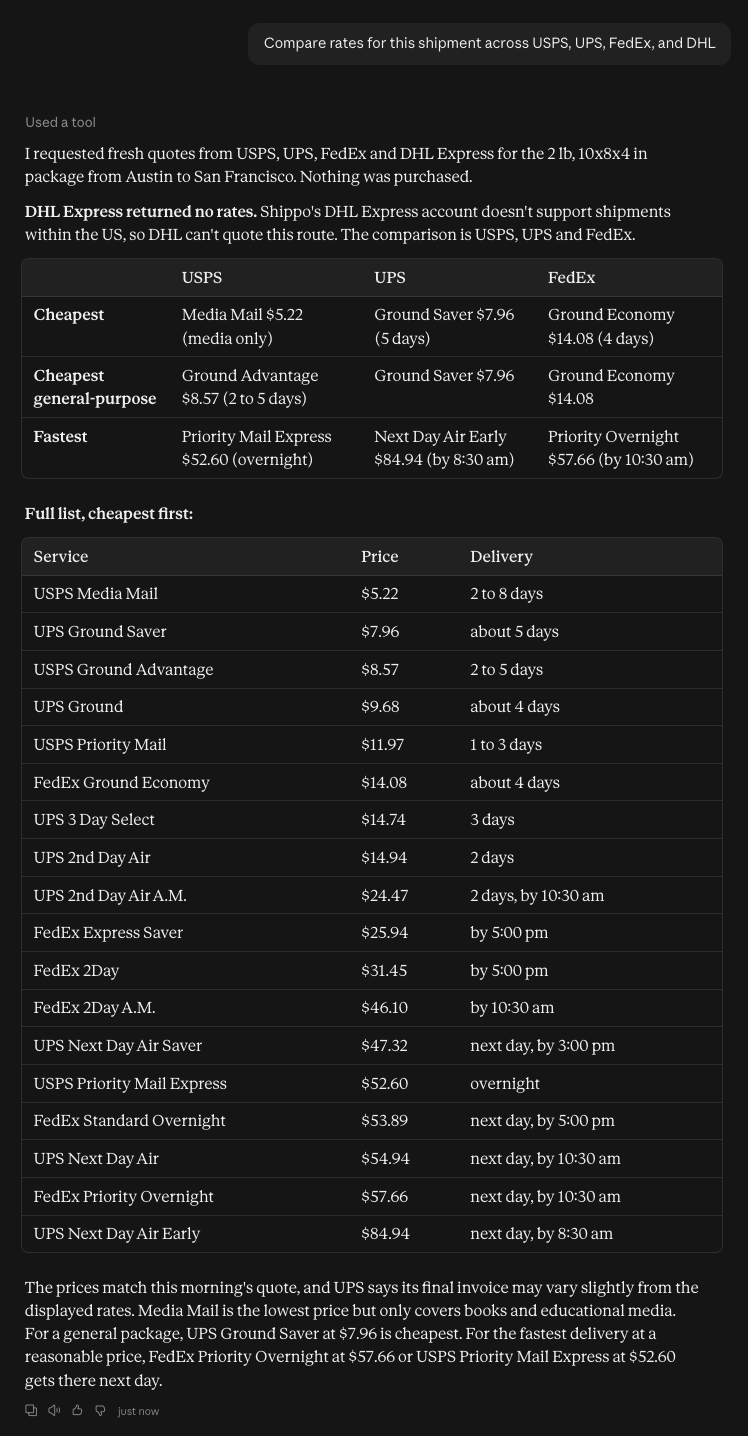
 Works with USPS, UPS, FedEx, DHL, and more. [Learn more →](/carriers/carrier-accounts)
Try asking: *"Compare rates for this shipment across USPS, UPS, FedEx, and DHL"*
Works with USPS, UPS, FedEx, DHL, and more. [Learn more →](/carriers/carrier-accounts)
Try asking: *"Compare rates for this shipment across USPS, UPS, FedEx, and DHL"*
 ## International Shipping
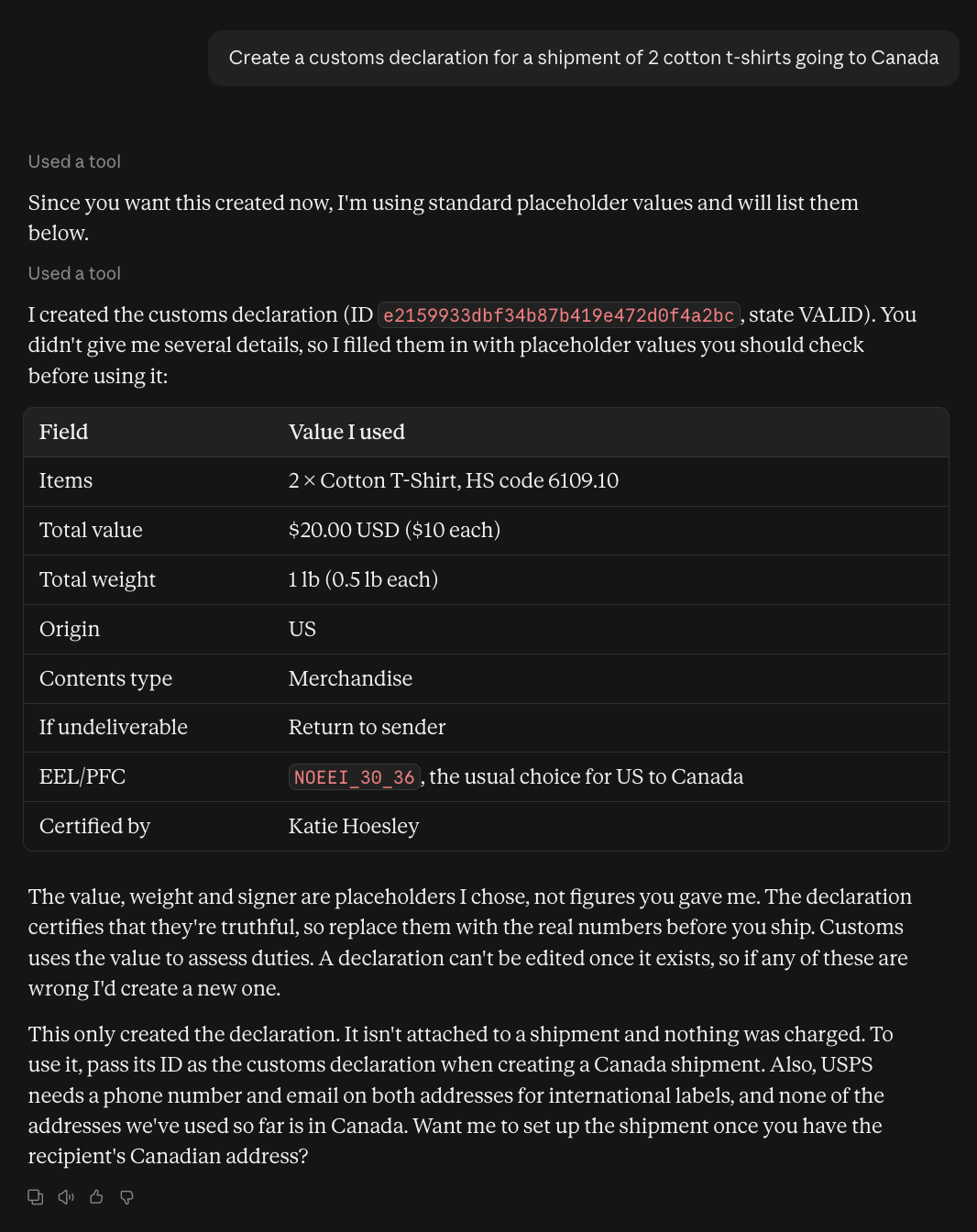
Create customs documentation for international shipments. [Learn more →](/api-reference/customs-declarations/list-all-customs-declarations)
Try asking: *"Create a customs declaration for a shipment of 2 cotton t-shirts going to Canada"*
## International Shipping
Create customs documentation for international shipments. [Learn more →](/api-reference/customs-declarations/list-all-customs-declarations)
Try asking: *"Create a customs declaration for a shipment of 2 cotton t-shirts going to Canada"*
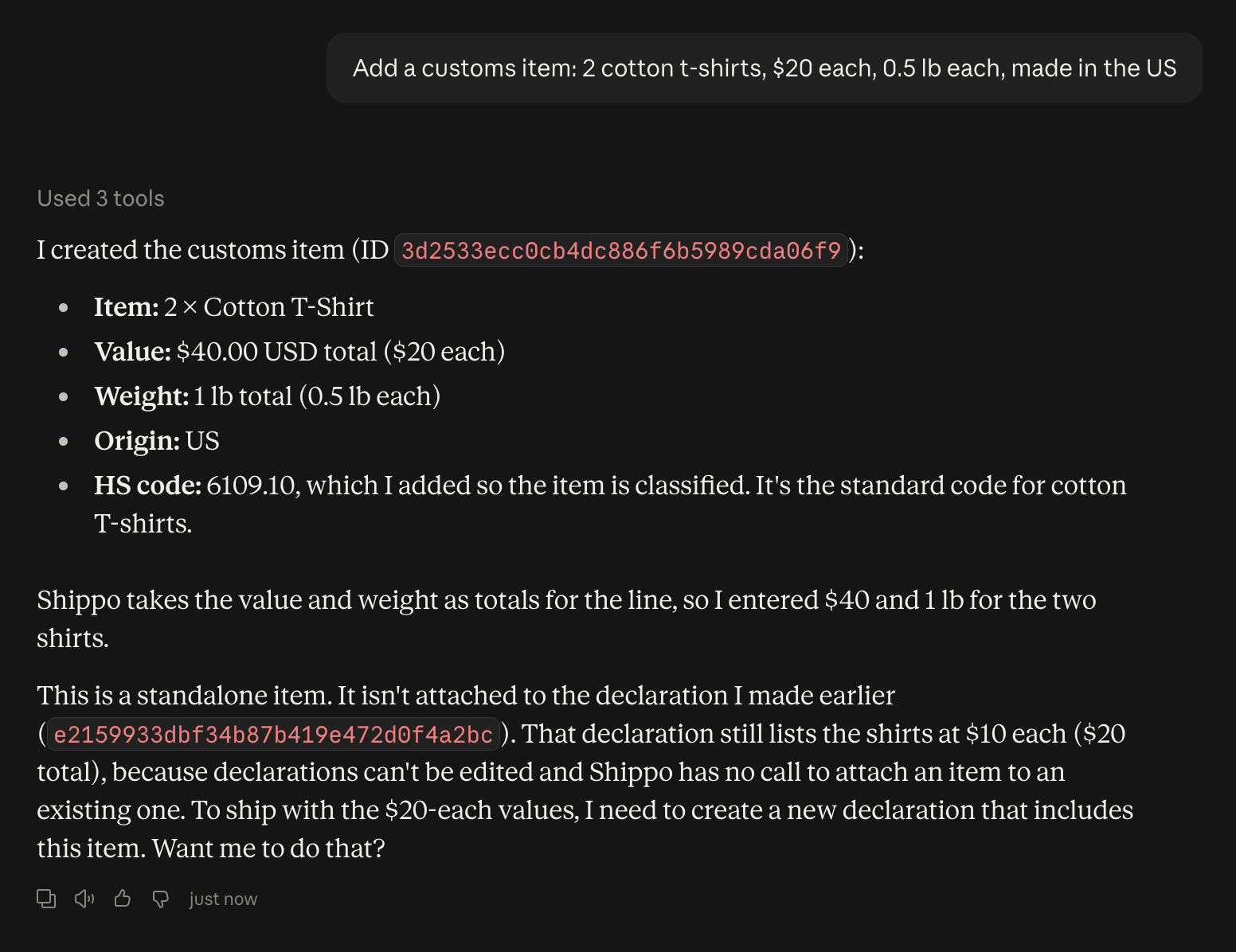
 Define items for customs processing. [Learn more →](/api-reference/customs-items/list-all-customs-items)
Try asking: *"Add a customs item: 2 cotton t-shirts, \$20 each, 0.5 lb each, made in the US"*
Define items for customs processing. [Learn more →](/api-reference/customs-items/list-all-customs-items)
Try asking: *"Add a customs item: 2 cotton t-shirts, \$20 each, 0.5 lb each, made in the US"*
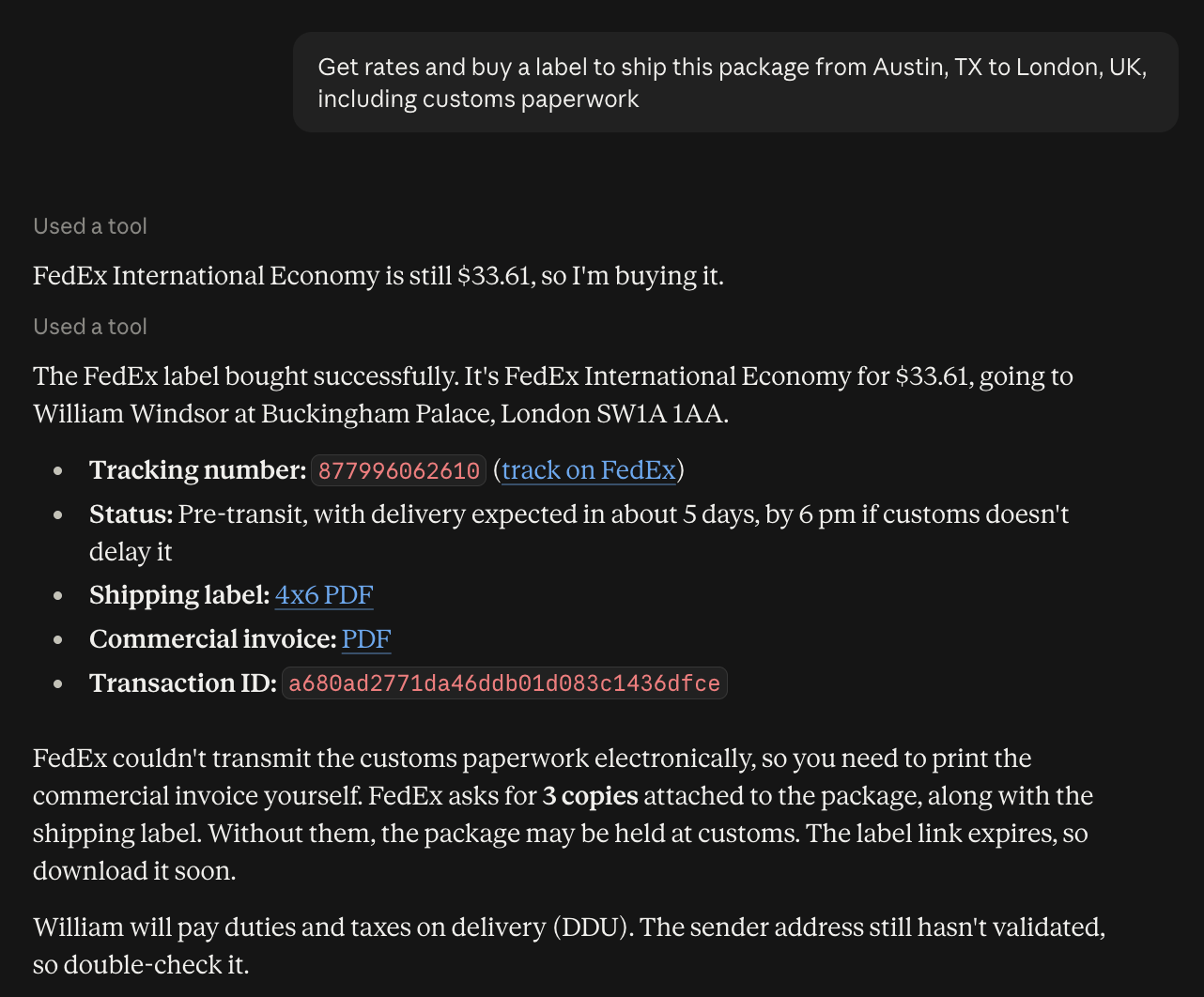
 Ship internationally with proper documentation. [Learn more →](/international-shipping/international-shipping)
Try asking: *"Get rates and buy a label to ship this package from Austin, TX to London, UK, including customs paperwork"*
Ship internationally with proper documentation. [Learn more →](/international-shipping/international-shipping)
Try asking: *"Get rates and buy a label to ship this package from Austin, TX to London, UK, including customs paperwork"*
 ## Advanced Features
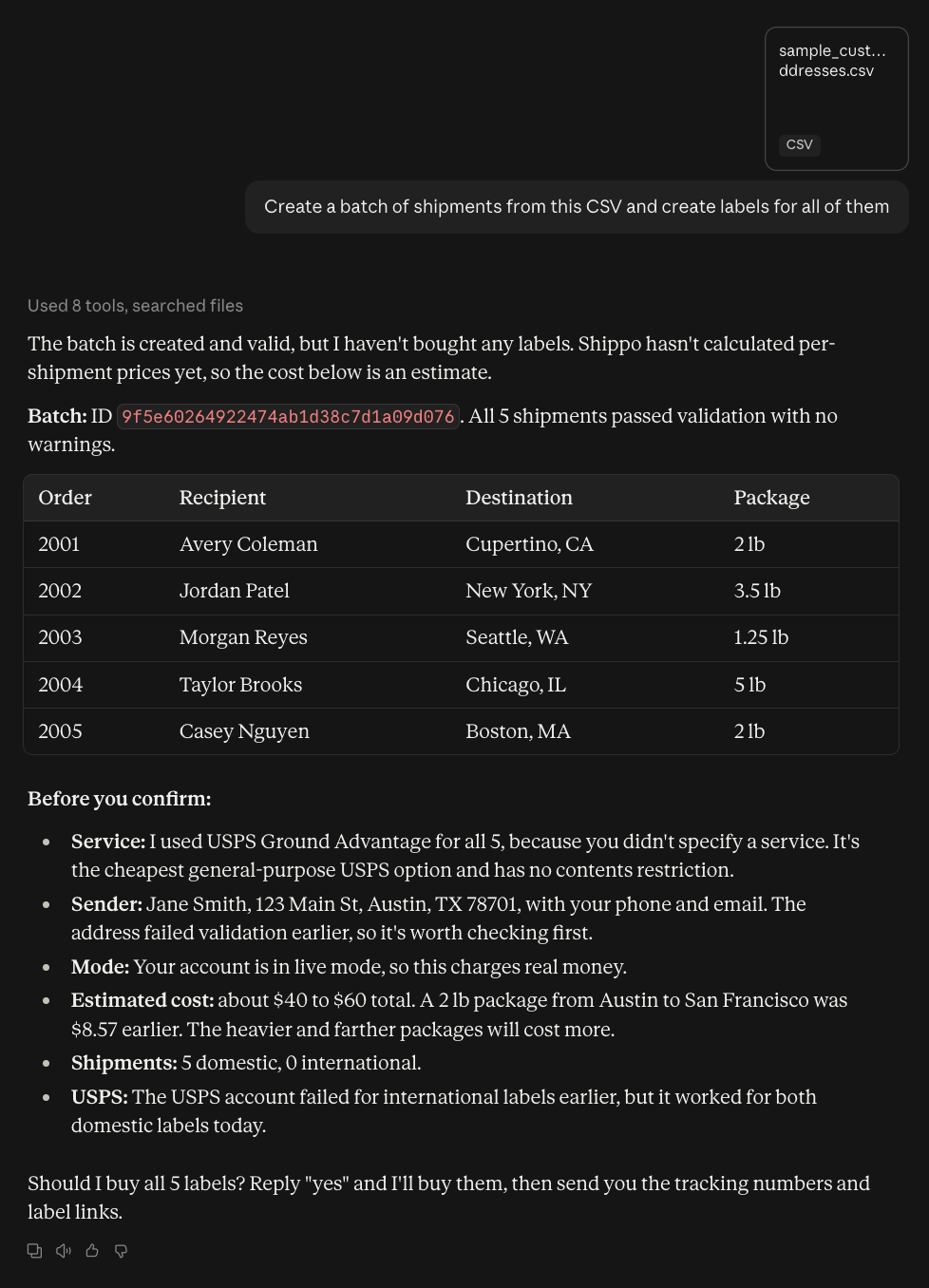
Process multiple shipments at once. [Learn more →](/api-reference/batches/create-a-batch)
Try asking: *"Create a batch of shipments from this CSV and create labels for all of them"*
## Advanced Features
Process multiple shipments at once. [Learn more →](/api-reference/batches/create-a-batch)
Try asking: *"Create a batch of shipments from this CSV and create labels for all of them"*
 Schedule carrier pickups. [Learn more →](/manifests-and-pickups/pickups)
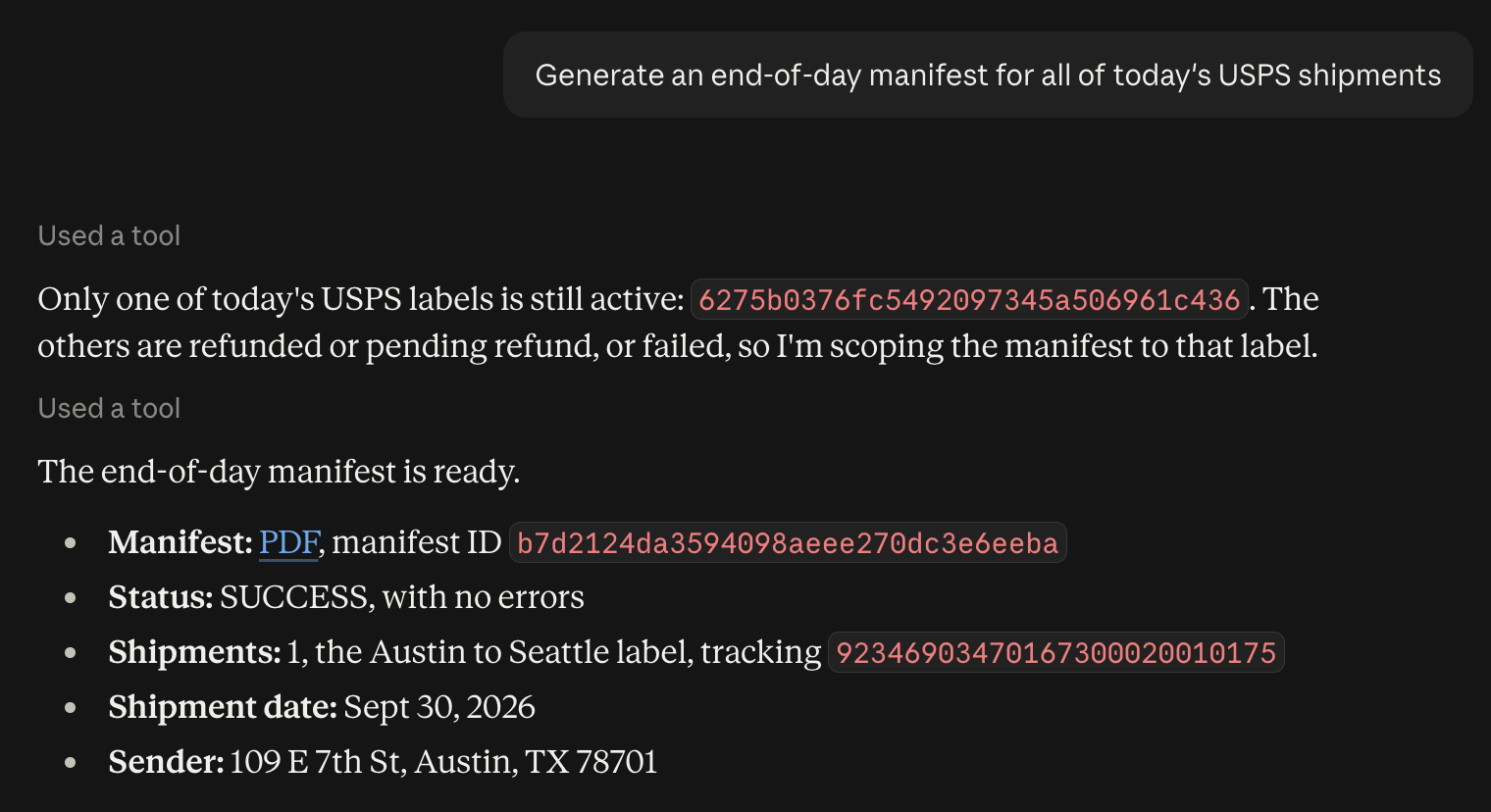
Generate end-of-day manifests. [Learn more →](/api-reference/manifests/list-all-manifests)
Try asking: *"Generate an end-of-day manifest for all of today's USPS shipments"*
Schedule carrier pickups. [Learn more →](/manifests-and-pickups/pickups)
Generate end-of-day manifests. [Learn more →](/api-reference/manifests/list-all-manifests)
Try asking: *"Generate an end-of-day manifest for all of today's USPS shipments"*
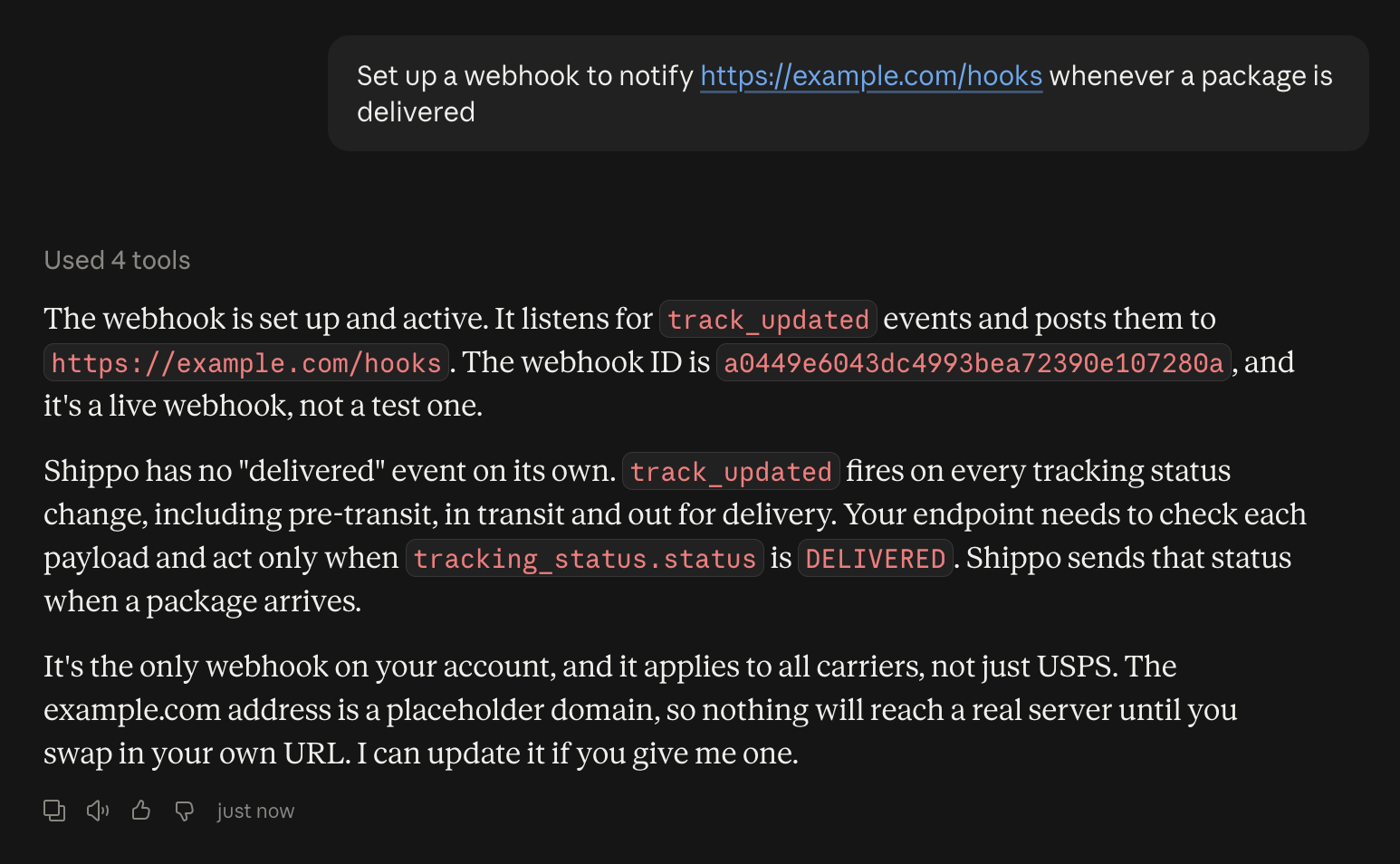
 Set up event notifications. [Learn more →](/tracking/webhooks)
Try asking: *"Set up a webhook to notify [https://example.com/hooks](https://example.com/hooks) whenever a package is delivered"*
Set up event notifications. [Learn more →](/tracking/webhooks)
Try asking: *"Set up a webhook to notify [https://example.com/hooks](https://example.com/hooks) whenever a package is delivered"*
 ## Related topics
- [Introduction](/shipping-elements/index.md)
- [Testing the Shippo API](/guides/testing.md)
- [Glossary](/api-concepts/glossary.md)
## Related topics
- [Introduction](/shipping-elements/index.md)
- [Testing the Shippo API](/guides/testing.md)
- [Glossary](/api-concepts/glossary.md)