

noteIf your request does not include a key, or includes a deleted or expired key, the Shippo API returns a Or
401 Unauthorized error with the following responses, depending on the nature of the error.Test mode and live mode
You can make Shippo API calls in either test mode or live mode. When you use test mode, you have access to test data and can make test calls. When you use live mode, you have access to live data and can make live calls (like purchasing a label). Each mode has its own set of API keys.Get your API keys
Create your free Shippo account
If you already have a Shippo account, skip ahead to Step 2. In your browser, open the address https://apps.goshippo.com/join. Enter your name, email, a secure password, and click Get Started. Follow the prompts to complete your registration.Generate your secure key
Login to the Shippo API portal using your Shippo credentials.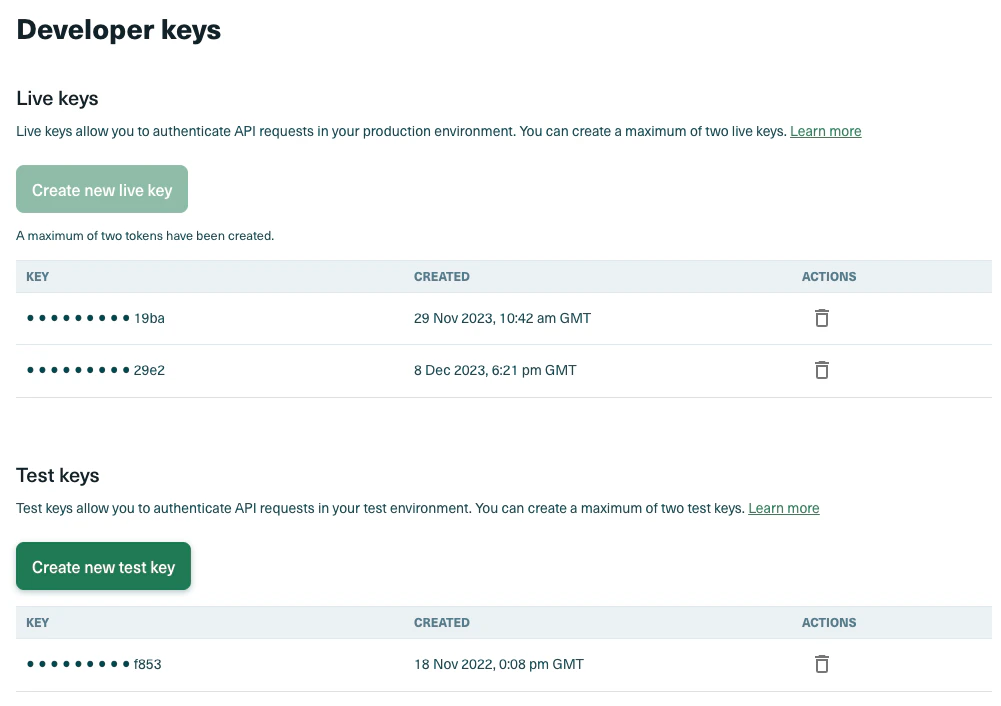
- Click Create new live key for a live key.
- Live keys begin with
shippo_live_.
- Live keys begin with
- Click Create new test key for a test key.
- Test keys begin with
shippo_test_.
- Test keys begin with
NoteYou can only see your full API key once. Store it in a secure place. If you lose your API key, you can generate a new one.
Use your secure key
To use your secure key, make an API call replacing<API_TOKEN> with the key you have generated.