This document is relevant to customers that have connected their own UPS account to Shippo. For details on connecting your UPS account in Shippo, review our guide. Before starting the UPS OAuth authentication flow, it is critical to add every UPS account number to your ups.com user ID. If you do not add your UPS account number(s) before starting the OAuth authentication flow, then UPS will return an error (code “120100”) during label purchase. Log in to www.ups.com to add the account number(s) to your ups.com user ID. There are two ways to complete this outlined below.Documentation Index
Fetch the complete documentation index at: https://docs.goshippo.com/llms.txt
Use this file to discover all available pages before exploring further.
PIN verification method
- Log in to www.ups.com.
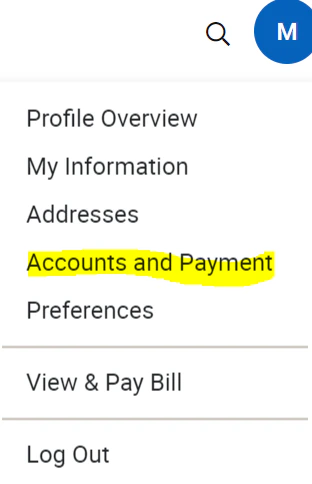
- Click on the circle icon at the top right of the page, and select Accounts and Payments.
-
On the Accounts and Payment page, do the following.
- Locate the Add a Payment Method dropdown.
- Click Add Existing Account.
- Then click Add.
-
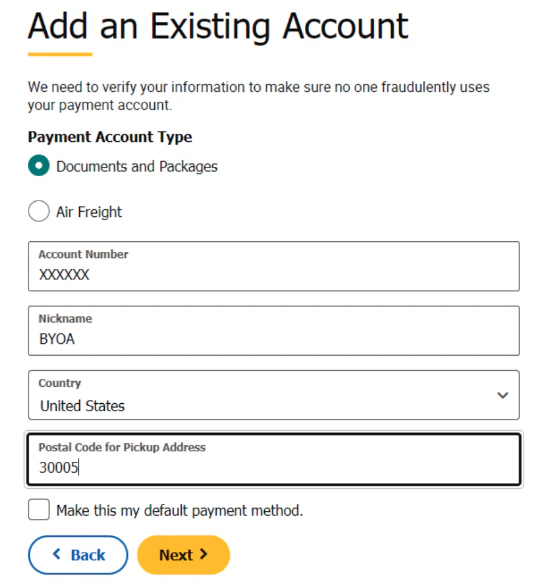
On the Add an Existing Account page, do the following.
- Enter your account as the Account Number.
- Give the account a nickname.
- Enter the Postal Code associated with the account.
- Click Next.
-
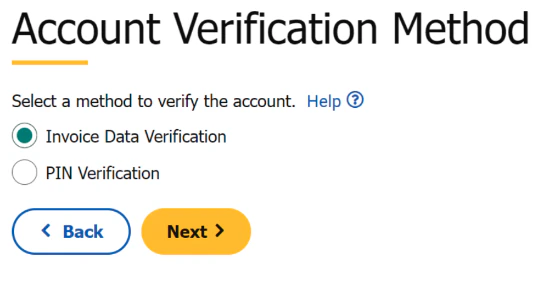
On the Account Verification Method page, do the following.
- Select PIN verification.
- Click Next. This will generate an email with the PIN number to the email address associated with the new account.
-
On the Account Verification page, do the following.
- Enter the PIN from the email sent to the email address associated with the account.
- Enter the email address associated with the account.
- Click Next.
Invoice verification method
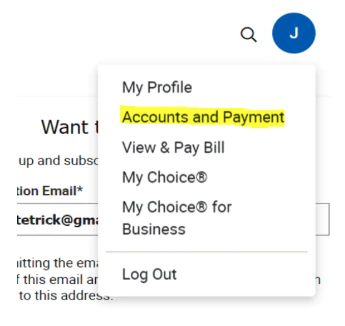
- Log in to www.ups.com and click your profile icon near the top right.
- Click on Accounts and Payment.
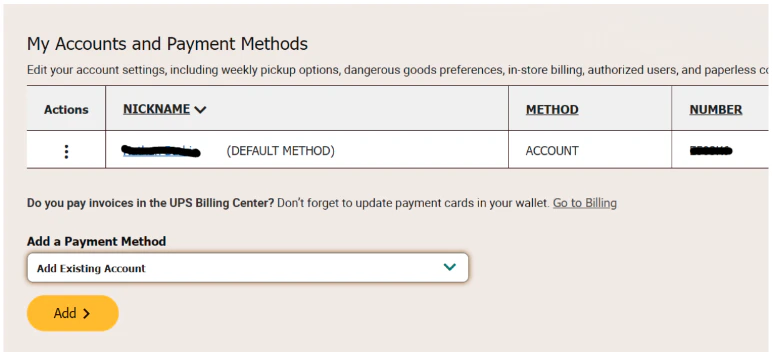
- On the Accounts and Payment page, select Add Existing Account in the Add a Payment Dropdown and then click Add.
- On the Add an Existing Account page, enter the account number to be added, a nickname, the country associated with the account, and the postal code associated with the account.
- On the Account Verification Method page, select the Invoice Data Verification checkbox.
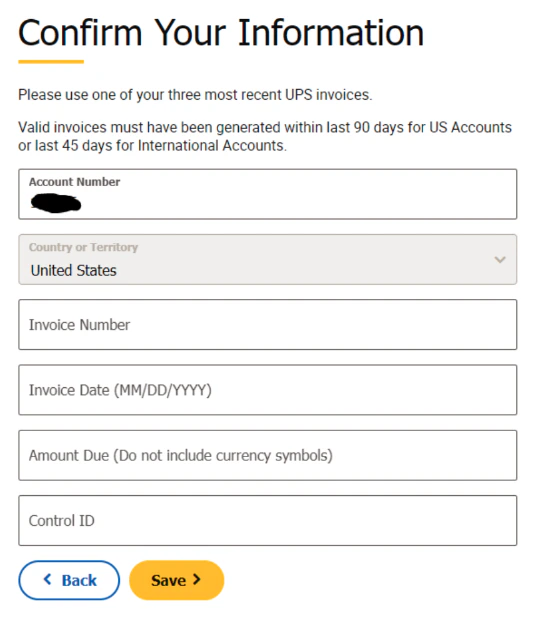
- On the Confirm Your Information page, enter the requested information from your most recent UPS invoice and then click Save.