

Setting up and testing webhooks
You can set up webhooks on the Shippo API Portal. This page also allows you to test webhooks with a sample payload.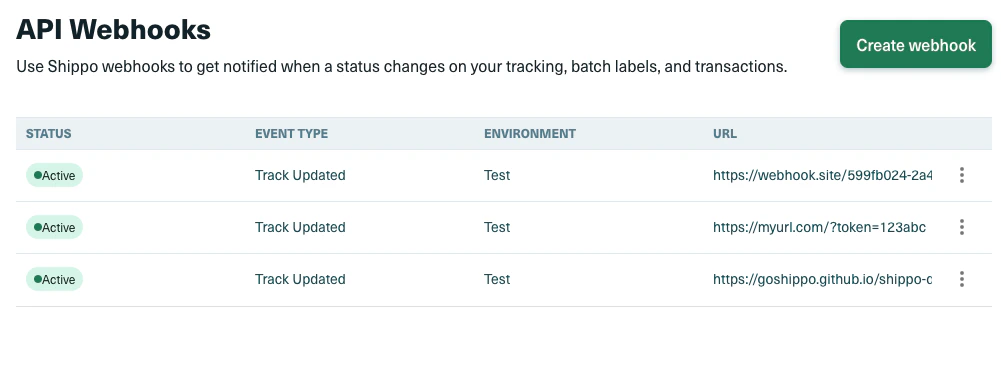
noteThe URL you set when creating your webhook must be less than 200 characters long.
noteWhen you purchase a label in Shippo, Shippo automatically creates a webhook for tracking that label. You can view the details of that webhook in the Shippo API Portal or using the webhooks endpoint.
Webhook event types
-
transaction_created: sent whenever a transaction is created in your account. The POST request body will contain a JSON of the Transaction object that was created. -
transaction_updated: sent whenever a transaction is updated in your account. The POST request body will contain a JSON of the Transaction object that was updated. -
track_updated: for tracking status updates. The POST request body will contain a JSON of the Tracking object. If you are interested in the types of events returned within the track_updated field, please view more details here.- We regularly request updates from each carrier’s system to get the latest status of shipments. Whenever there’s a change in status, we immediately send an update to the webhook via a POST request. The frequency of these updates varies among carriers due to the rate limits set by each carrier. On average, users can expect updates within 2 hours of an event occurring. For some carriers this time is much lower.
- For API version 2017-03-29 and older, the body will contain the Transaction object if the label was created on Shippo.
-
batch_created: for creating the Batch object that contain Batch Shipments. This process is done asynchronously, so first you’d get an empty Batch object back, then Batch Shipments will be created in the background. -
batch_purchased: for purchasing Batch Shipments through the Batch endpoint. This request is done asynchronously as well. Once purchases are complete, you will be able to download a merged PDF containing up to 100 labels per file. -
automations_label_resolved: sent when a Shippo Automations label-purchase request reaches a terminal state (purchased,dry_run_completed,no_match, orfailed). The POST body’sdatais the same payload returned byGET /automations/labels/{request_id}. Shippo attempts delivery once and doesn’t retry, so poll the request for the authoritative outcome. The same event can still arrive more than once, so dedupe onrequest_id. See the Automations guide for subscription, payload, and reconciliation details. -
all: sent when any of the supported events occur. Acts as a catch-all for events.
Shippo-API-Version header is included in all webhook responses to indicate what version of the API is being used.