Documentation Index
Fetch the complete documentation index at: https://docs.goshippo.com/llms.txt
Use this file to discover all available pages before exploring further.
This is a 2nd step of the label purchase flow where we first create a shipment object (and get rates for a given shipment). Then, we purchase a label for the provided ‘rate’.
HTTP Method
POST
URL
https://api.goshippo.com/transactions/
Purchase from created Shipment
This is a flow where we first create a shipment object (and get rates for a given shipment). Then, we purchase a label for the provided rate.
Request Payload
| Parameter | Description |
|---|
| rate* | object_id of the rate object we get in the create shipments call response. |
| label_file_type* | Allowed values: PDF, PDF_A4 |
| async | Set to true if you want to poll for the result and receive faster response |
Note: Parameters with an * are mandatory
Example
Request Sample
curl --location --request POST 'https://api.goshippo.com/transactions' \
--header 'Authorization: ShippoToken <API_TOKEN>’ \
--header 'Content-Type: application/json' \
--data-raw '{
"rate": "32444e5afe5c4d5fa44de02e4b56870d",
"async": false,
"label_file_type": "PDF"
}'
Response Sample
{
"object_state": "VALID",
"status": "SUCCESS",
"object_created": “2025-08-05T21:43:41.829Z”,
"object_updated":“2025-08-05T21:43:41.829Z”,
"object_id": "cbc1a12243db44b9ae56ef3ca502b8c3",
"object_owner": expn-prod-test@goshippo.com",
"test": false,
"rate": "32444e5afe5c4d5fa44de02e4b56870d",
"tracking_number": "TQ966044837GB",
"tracking_status": "PRE_TRANSIT",
"eta": null,
"tracking_url_provider": "",
"label_url": "you_will_find_your_label_url_here",
"commercial_invoice_url": null,
"messages": [],
"order": null,
"metadata": "",
"parcel": "bf276a9f955f43e7b7a75345687b9f4d",
"billing": {
"payments": []
},
"qr_code_url": null
}
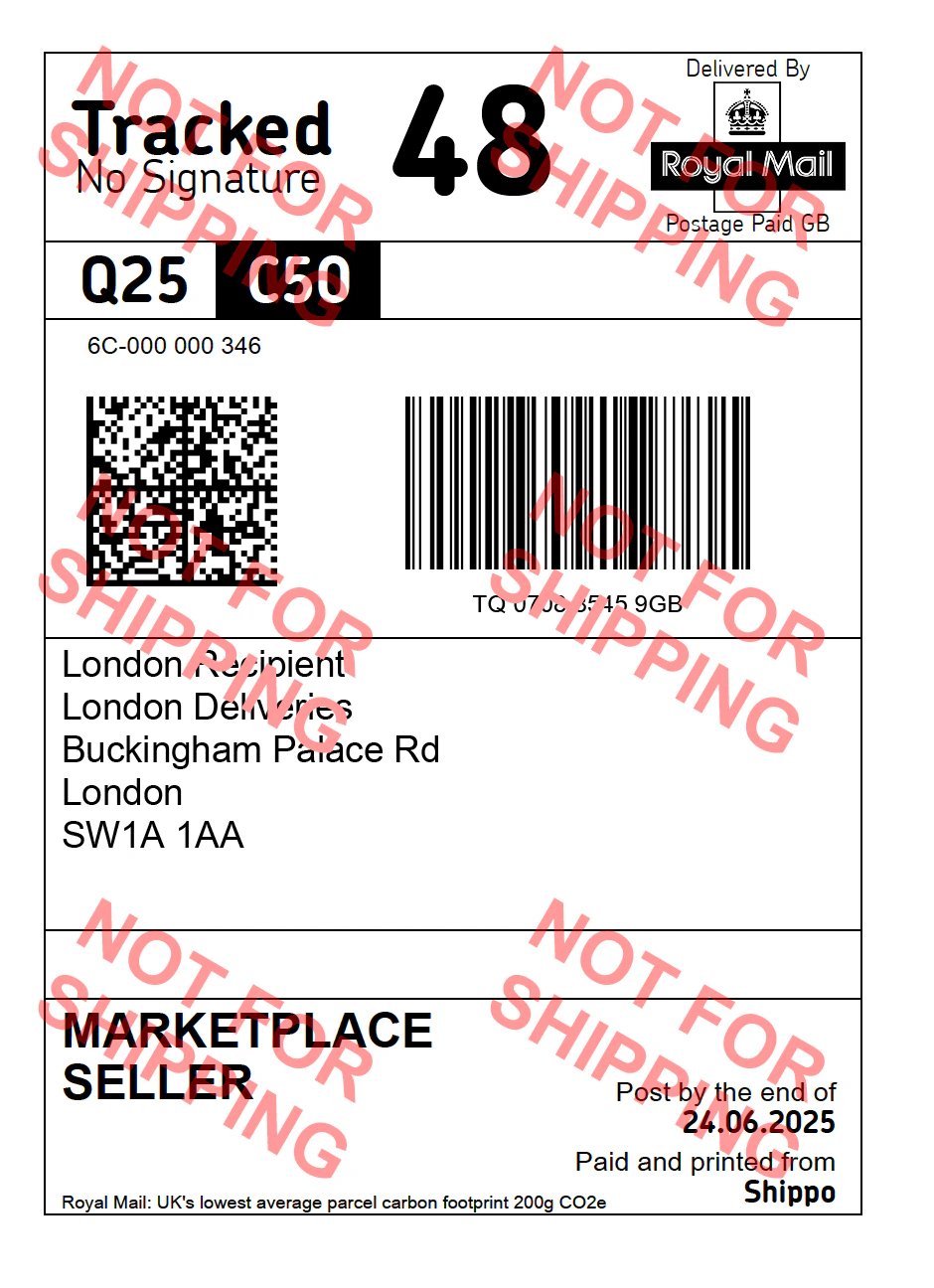
Sample Label
Below is a sample PDF label for a Royal Mail C2C MCA Tracked 48 for Post Office Drop.
After you have created your label and shipped your package, you may request tracking status updates by following the process described in Step 4: Track.